
When it comes to home theaters or professional presentations, a projector screen is a significant investment. Whether you’re hosting movie nights or giving a presentation, ensuring that your projector screen remains in top condition is crucial for the best possible performance. A well-maintained projector screen can last for years, but like any piece of equipment, it requires proper care to maintain its durability and image quality.
In this guide, we’ll cover essential tips for maintaining your projector screen. From cleaning tips to long-term care, we’ll help you keep your screen looking brand new and functioning at its best for the long haul.
What Are the Best Cleaning Tips for Your Projector Screen?
Proper cleaning is vital for keeping your projector screen clear and functioning correctly. Regular maintenance ensures you avoid dust buildup, smudges, and other distractions that can interfere with image quality. Here are some cleaning tips you should follow:
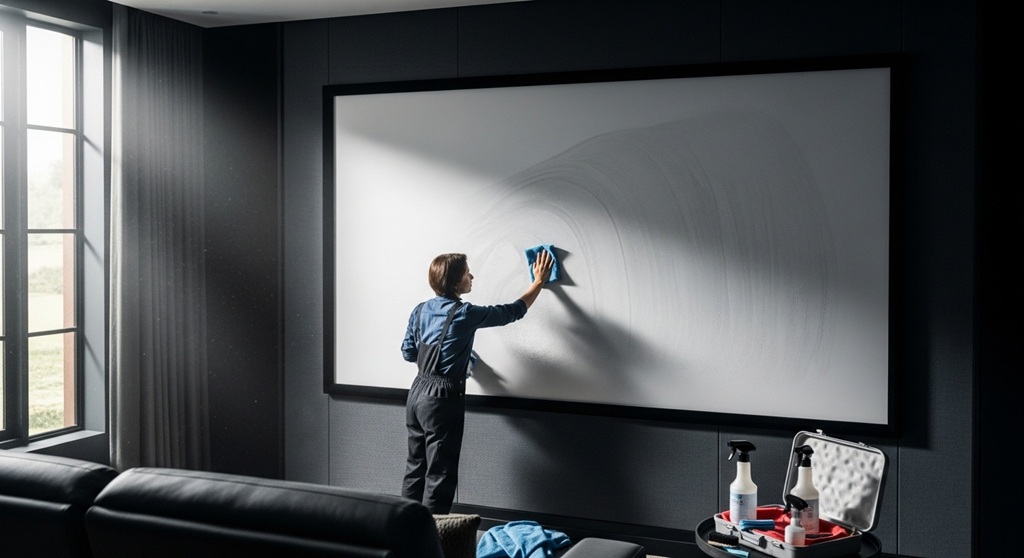
- Use a Soft Cloth: Always use a soft, microfiber cloth to clean your projector screen. Avoid paper towels or rough fabrics that could scratch the surface.
- Dust Regularly: Dust is a common issue that can affect the screen’s brightness and clarity. Gently wipe down your screen once a week to remove dust using a microfiber cloth.
- Use Cleaning Solutions Sparingly: If your screen is stained or has visible marks, use a mild, non-abrasive cleaner. Avoid harsh chemicals, as they could damage the coating.
- Water and Cloth: If the stains are stubborn, lightly dampen the cloth with water. Never spray water directly on the screen, as excess moisture can seep into the frame and cause damage.
- Avoid Excessive Pressure: Be gentle when wiping down your projector screen. Excessive pressure can stretch the screen fabric and affect its performance.
How Do You Ensure the Durability of Your Projector Screen?
Proper care goes beyond cleaning. Ensuring the durability of your projector screen is essential for its long-term performance. Follow these tips to extend the life of your screen:
- Store Properly: If you’re not using your projector screen regularly, store it properly. Many screens come with a carrying case that will protect the fabric when rolled up. Never leave the screen exposed to sunlight or moisture.
- Keep Away from Direct Sunlight: Excessive exposure to sunlight can cause fading or degradation of the screen fabric. Install your projector screen in a location that is shielded from direct sunlight, or use blackout curtains to reduce light exposure.
- Avoid Temperature Extremes: Temperature fluctuations can affect the material of the projector screen. Keep the screen in a room with consistent temperature to prevent any warping or stretching.
- Use a Screen Protector: For added protection, you may want to invest in a screen protector. This adds an extra layer of defense against dirt, dust, and physical damage.
- Check the Frame Regularly: Over time, the frame may become loose or damaged. Ensure the frame is secure and check the tension regularly. If you have a retractable screen, make sure the motor works smoothly to avoid strain on the fabric.
What’s the Importance of Proper Installation for Long-Term Care?
Proper installation plays a critical role in the overall longevity of your projector screen. An improper setup can lead to unnecessary wear and tear, as well as a decrease in image quality. Here’s how to ensure proper installation:
- Mount Securely: Whether you’re wall-mounting or ceiling-mounting your projector screen, ensure that it’s securely fixed. Use the correct hardware for your screen type and make sure the mounting brackets are sturdy to prevent the screen from sagging or falling.
- Keep the Screen Taut: A screen that is too loose will cause image distortion, and it may also stretch over time. Make sure the screen is pulled tight for the best viewing experience.
- Level Positioning: Ensure that the screen is perfectly level when installed. Uneven mounting can cause the image to look skewed, reducing the viewing experience.
- Check for Obstructions: Make sure the area around the projector screen is clear of obstructions. This includes furniture, decorations, or other items that might interfere with the screen’s performance or cause damage.
How Do You Protect Your Projector Screen from Physical Damage?
Accidents happen, and physical damage to your projector screen can sometimes be inevitable. However, there are precautions you can take to minimize the risk:
- Keep Pets Away: If you have pets, it’s best to keep them away from the projector screen. Pet claws, fur, and even accidental bumps can damage the fabric or the frame.
- Be Mindful of Sharp Objects: Avoid placing sharp objects near your projector screen. If you’re moving furniture or objects near the screen, ensure there’s no risk of damage.
- Use a Screen Cover: A simple way to protect your projector screen when it’s not in use is to cover it with a protective cover. These covers shield the screen from dust, dirt, and physical impact.
- Retractable Screens: If you have a retractable screen, make sure to retract it when not in use. This will prevent the screen from being exposed to dust, dirt, and accidental contact.
What Are the Signs That Your Projector Screen Needs Repair?
Even with proper care, your projector screen may show signs of wear and tear over time. Here are a few common signs that your projector screen may need repair:
- Wrinkles or Sagging: If your screen is sagging or has wrinkles that cannot be removed through tension adjustments, it may need to be replaced or professionally repaired.
- Damage to the Fabric: Visible tears, holes, or stains that can’t be cleaned off are signs that the fabric needs attention. In some cases, you may be able to patch the screen, but in severe cases, replacing the screen may be necessary.
- Frame Issues: If the frame is loose, bent, or damaged, the overall screen quality will be affected. Tighten the frame or replace it if necessary to ensure proper screen tension.
- Motor Malfunctions (for Retractable Screens): If your retractable screen is not working properly, it may be due to a malfunctioning motor. If the motor can’t retract the screen smoothly, consider contacting a professional for repairs.
Conclusion: How Can You Maximize the Lifespan of Your Projector Screen?
Maintaining your projector screen is essential for ensuring its longevity and consistent performance. By following the proper cleaning techniques, taking steps to protect your screen, and ensuring the right installation, you can enjoy high-quality visuals for years to come. Additionally, regular checks for signs of wear and tear will help you spot any potential issues before they become major problems.
Now that you know how to maintain your projector screen, take the necessary steps to care for your equipment today. Your screen will thank you with crisp, clear images every time you use it!
FAQs
1. How often should I clean my projector screen?
It’s recommended to clean your projector screen at least once a week to remove dust and dirt. For stains or smudges, clean the screen as needed.
2. Can I use a regular cleaning solution for my projector screen?
It’s best to use a mild, non-abrasive cleaner or simply water for cleaning. Harsh chemicals can damage the screen’s coating and material.
3. What is the best way to store my projector screen?
If your projector screen is retractable, always retract it when not in use. For fixed screens, ensure that it’s protected from sunlight and moisture. Use a carrying case for portable screens.
4. How do I prevent wrinkles in my projector screen?
Ensure that your screen is mounted tightly and check the tension regularly. Avoid exposing the screen to excessive humidity or temperature fluctuations.
5. Can I repair a tear in my projector screen myself?
Small tears can be repaired with fabric adhesive or patches. For larger damage, it’s often better to contact a professional for repairs or consider replacing the screen.
6. How long does a projector screen typically last?
With proper care, a projector screen can last anywhere from 5 to 15 years, depending on usage and maintenance.
7. What are the benefits of a screen protector for my projector screen?
A screen protector adds an extra layer of protection against dust, dirt, and physical damage. It’s especially useful for portable or frequently used screens.
Read More Also: Commercial vs Residential Vacuum Cleaners: What’s the Real Difference?
Find out: How to Set Up a Home Office with an Affordable Ergonomic Chair